Fiber Laser Ignite ← Back to the free course

SHOPPING FOR YOUR FIRST FIBER LASER?

Ready to Buy Your First Fiber Laser?

You don’t need a specific brand or wattage to learn with Fiber Laser Ignite. The course is built around using a galvo fiber laser with LightBurn, so the main thing to check before buying is that the machine supports LightBurn. That’s the only requirement.

Whether you buy from a large brand, a smaller supplier, or find a used machine, you can apply what you learn throughout the course. Your settings will vary depending on your laser, lens, and material, but the basic processes and LightBurn workflow carry over.

WHY OMG?

Why I Recommend OMG Laser

Buying your first fiber laser can get confusing quickly. Similar-looking machines come with different sources, wattages, lenses, and accessories, and it isn’t always obvious what matters.

My recommendation comes from owning and using one.

My OMG has given me the flexibility to move from basic marking into deeper engraving, detailed artwork, and rotary projects. I can change lenses for different jobs and run everything through LightBurn.

I’ve also been in contact with Richard, the owner of OMG, for years. Knowing who I’m buying from and having someone I can reach with questions matters to me when recommending equipment at this price.

Yes, OMG is based in China.

And they ship internationally fast. No seriously—I still don’t know how OMG managed to get a laser to my doorstep in New Jersey that quickly.

OMG currently advertises a three-year warranty covering the machine and laser source, lifetime support, and U.S.-based technical support. Always check the current product page for the latest terms before ordering.

WHAT I PERSONALLY USE

My Pick: 60W JPT MOPA

If you want a setup similar to mine, start here.

A 60W JPT MOPA is the configuration I’d recommend considering if you want to explore the broadest range of fiber laser projects and/or put the machine to work in a small business.

The power is useful for deeper engraving and material removal. I do a lot of deep coin engravings in brass, which can take quite a lot of time. Having 60W of power is a game changer in time savings.

The MOPA source adds adjustable pulse width, giving you another way to control how the laser affects the material. That flexibility is useful when experimenting with different finishes and effects, including color marking on some stainless steels.

You’ll still need to learn the settings and test your materials. That’s the part Fiber Laser Ignite helps with.
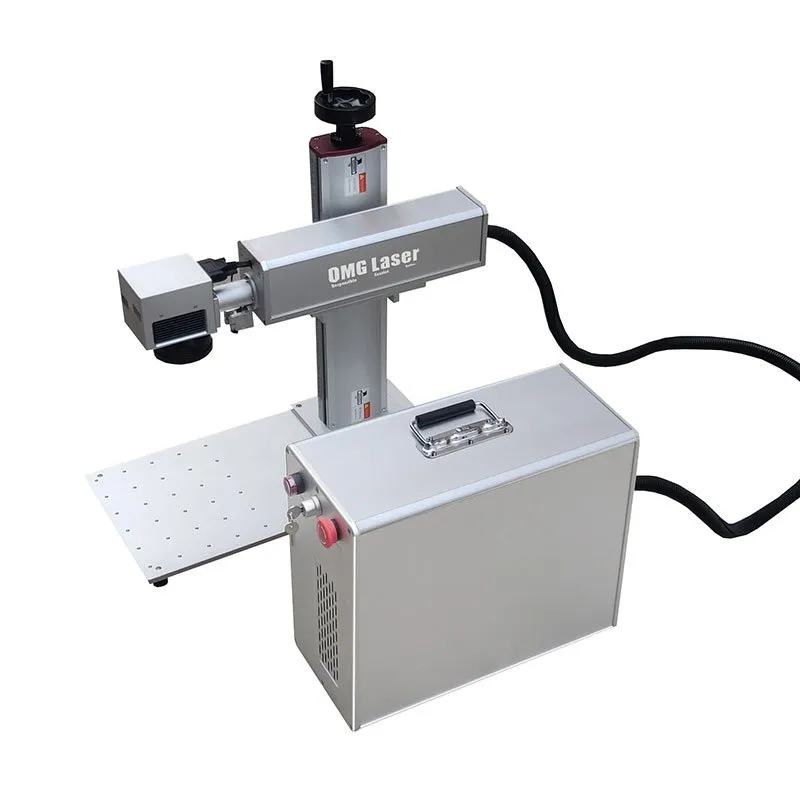
OMG Laser galvo fiber laser, the style of 60W JPT MOPA machine Justin uses
My OMG Laser setup. I use a 60W JPT MOPA, the same type of machine you see throughout Fiber Laser Ignite and my YouTube videos.
30W+

Hobby & learning

For hobby use, smaller projects, and learning the basics, I’d start by looking at a 30W machine. You can do plenty of useful engraving without buying the same configuration I own.

MOPA?

Useful, not mandatory

A standard LP or non-MOPA source can handle a wide range of marking and engraving work. If deep coin engraving is your main goal, MOPA is not required.

THE SOFTWARE MATTERS

It Works With the Software I Teach

LightBurn compatibility is a requirement for me.

It’s the software I use to run my lasers and teach throughout Fiber Laser Ignite. OMG’s listed fiber systems support LightBurn, so you can learn the same workflow you see in the course.

You can watch the lessons before buying, then work through them again with your own machine. The course covers basic settings, laser processes, a LightBurn primer, and nine projects with downloadable files.

The entire course is free, wherever you buy your laser.

CURRENT 60W PACKAGE

What Comes With the Machine?

OMG currently lists the following with its 60W package:

70 × 70 mmField lens
150 × 150 mmField lens
300 × 300 mmField lens
Chuck rotaryFor cylindrical work
Height spacerAdditional clearance
ExtrasFoot switch, test cards, cables, tools & eyewear

Having multiple lenses gives you options for different project sizes. The rotary also gives you room to explore beyond flat objects.

Packages change. Check your selected configuration on OMG’s site for the latest included accessories, warranty terms, and delivered price.

REAL PROJECTS

See What You Could Make

The best way to understand this machine is to see finished work and how it was made.
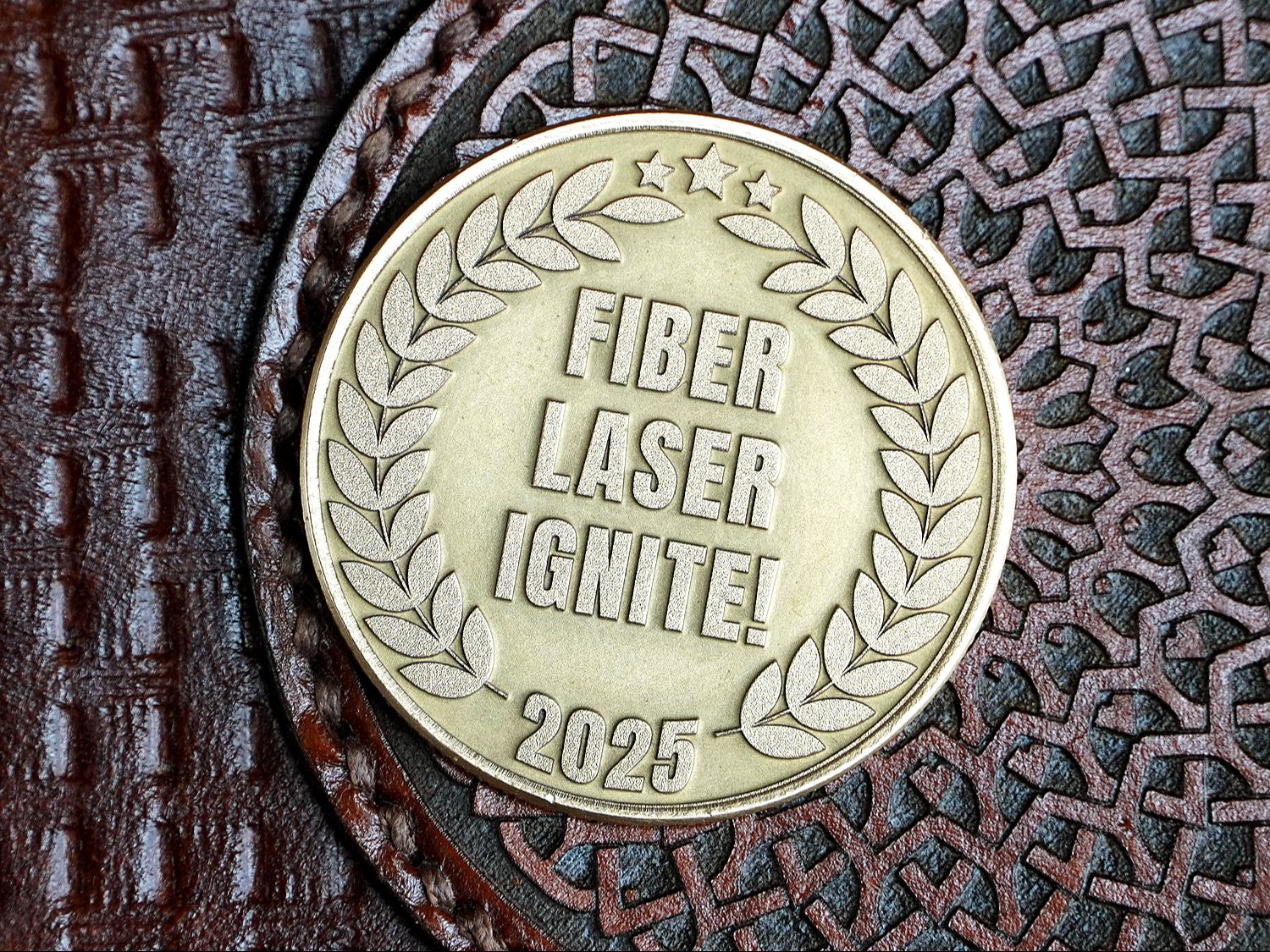
Deep engraved brass coin from Fiber Laser Ignite
Brass coinDeep engraving & cleaning passes
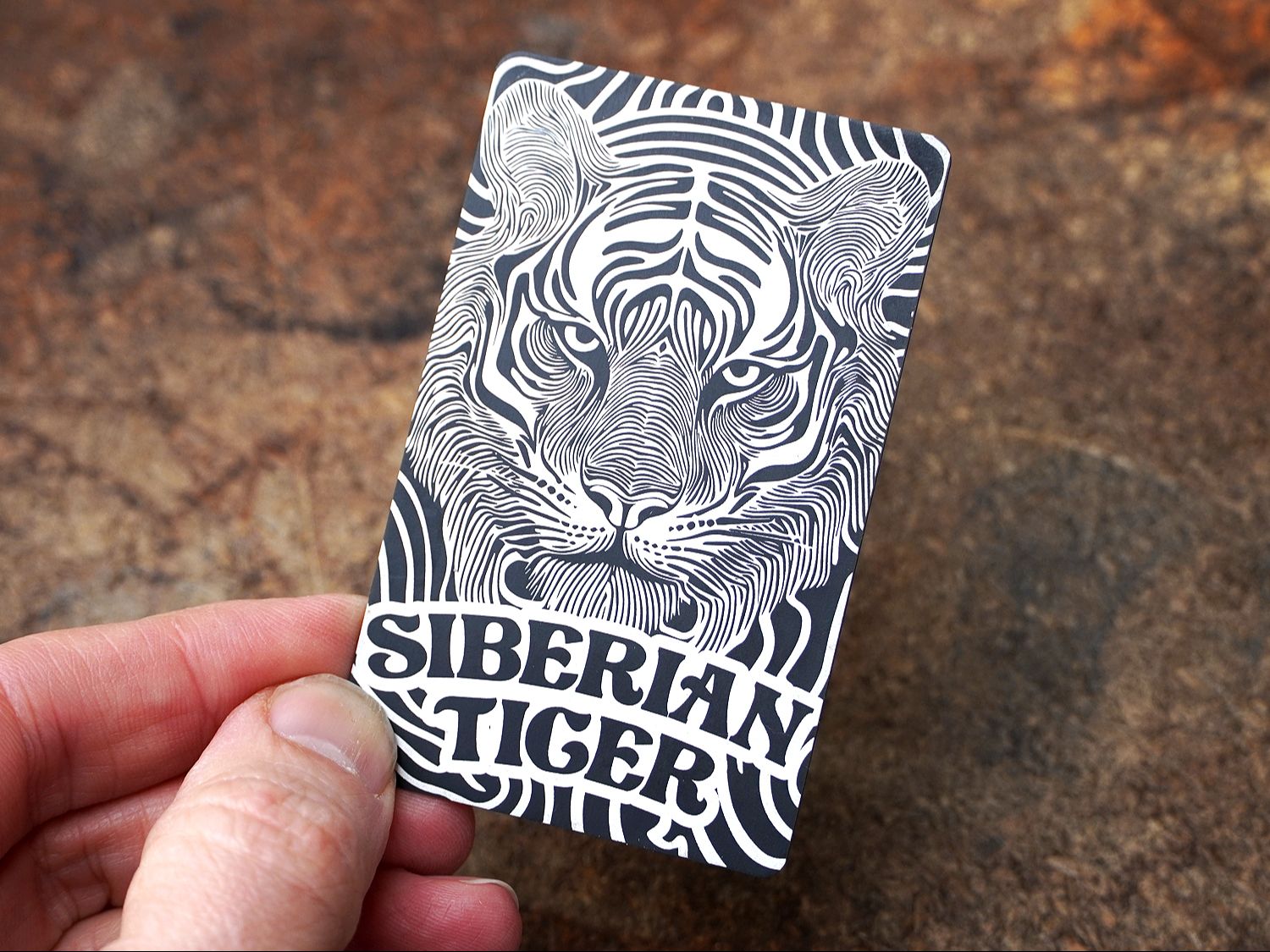
Engraved aluminum card from Fiber Laser Ignite
Metal cardFine detail & pattern work
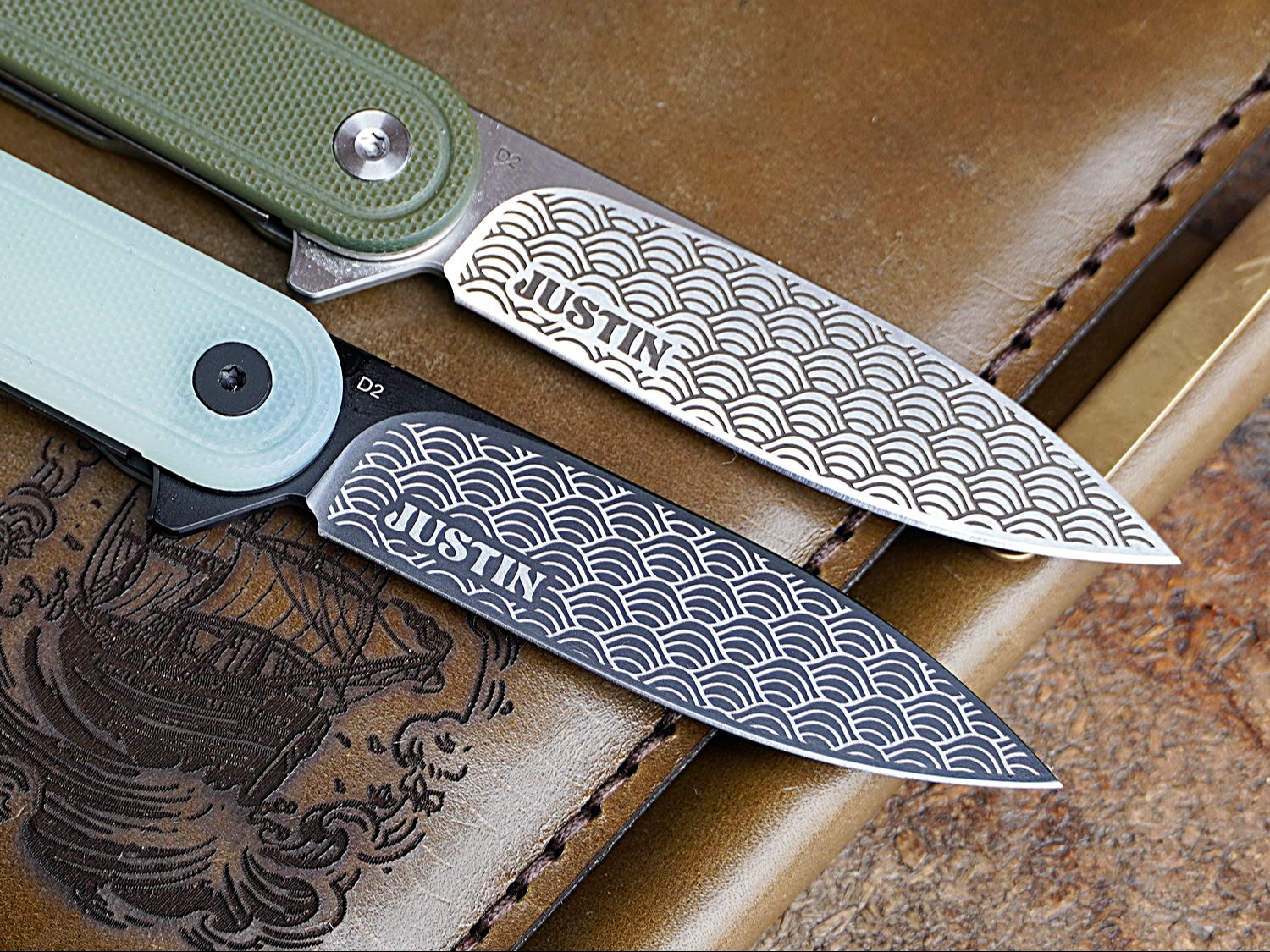
Engraved pocket knives from Fiber Laser Ignite
Pocket knifeTemplates & irregular surfaces
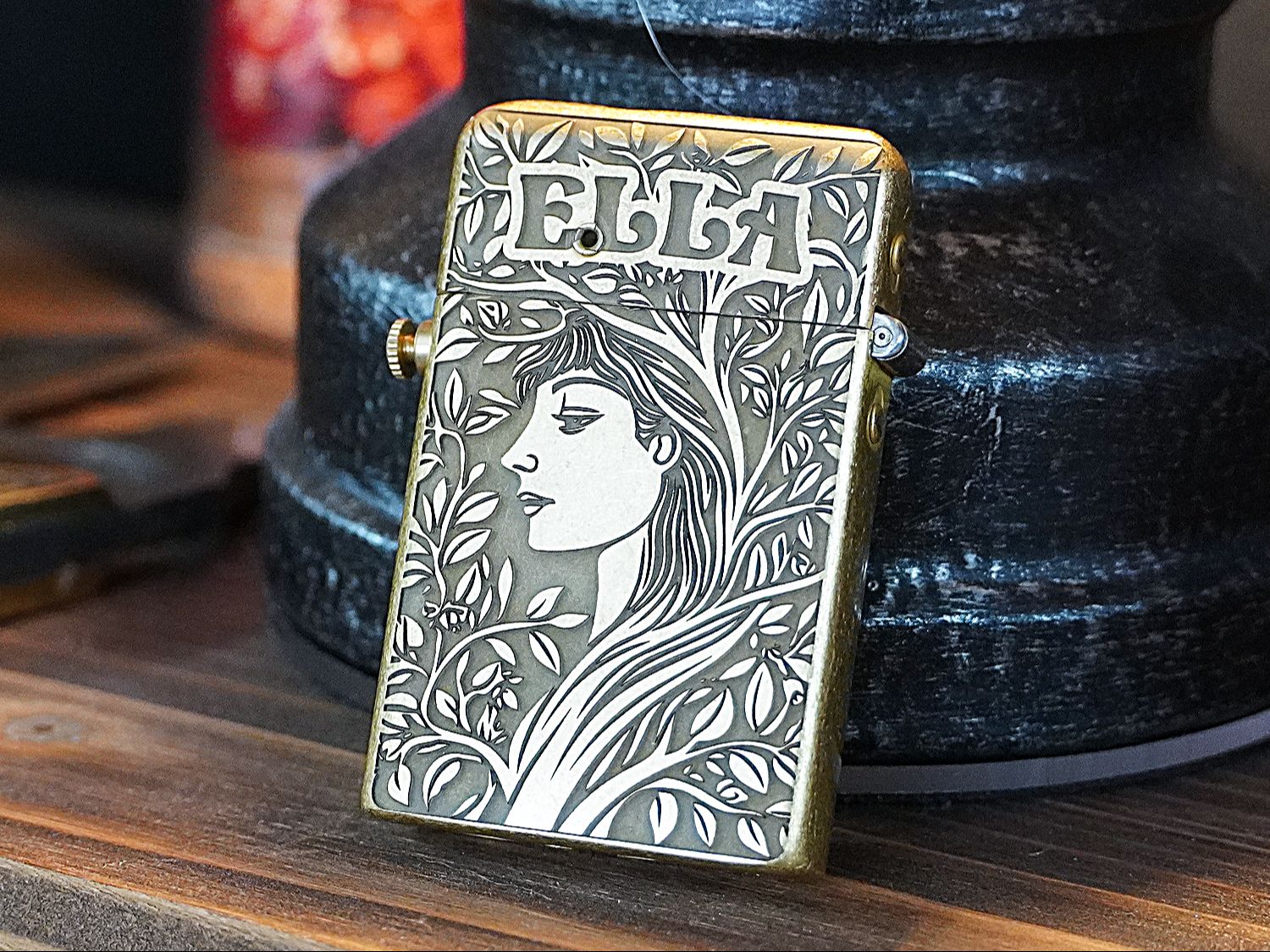
Engraved brass lighter from Fiber Laser Ignite
Brass lighterArtwork fitted to a finished object

These are the kinds of projects we work through in Fiber Laser Ignite. You’ll see the setup, settings, and engraving process from start to finish.

WATCH THE FREE PROJECT LESSONS

BEFORE YOU BUY

Is a Fiber Laser Right for Your Projects?

If your main goal is marking and engraving metal, this is the type of machine I’d consider.

For cutting wood, leather, or acrylic, I use other lasers. A galvo fiber laser also works within the area covered by its lens, so think about the size of your intended projects before choosing a setup. We cover this in the Fiber Laser Basics section of the course.

IMPORTANT

Fume extraction is non-negotiable.

Budget for the complete workspace—not just the machine—including localized fume extraction and appropriate laser safety measures.

For a simple external exhaust setup, I recommend the AC Infinity CLOUDLINE S6 6-inch inline fan ↗ paired with 6-inch flexible duct ↗.

Amazon affiliate disclosure: I may earn a commission from qualifying purchases at no additional cost to you.

READY WHEN YOU ARE

Get Your OMG Laser for $100 Less

I’ve spent years learning what my OMG can do, and I’ve put that experience into the videos and lessons available here.

If those projects are the kind of work you want to make, the 60W JPT MOPA is where I’d start looking.

Use code OMGJL to save $100
SHOP OMG FIBER LASERS ↗

Affiliate disclosure: I may earn a commission if you purchase through my link, at no extra cost to you.

Let’s get engraving!